
How to Turn Off Bitdefender VPN?
Do certain websites or apps refuse to open on your computer? The loading icon just keeps spinning, which can be frustrating. You’ve already checked your internet connection and browser settings, but still face the issue. In such cases, the culprit might be Bitdefender VPN.
Although Bitdefender VPN is designed to keep your connection secure, especially on unsecured Wi-Fi networks, it can sometimes silently interfere with your browsing and block access to certain websites or services.

To fix this, you may need to turn off the VPN temporarily. Let’s explore how to resolve the issue and restore normal browsing functionality. But before that, let’s look at the common reasons why you might need to turn off Bitdefender VPN.
Why Do You Need to Turn Off Bitdefender VPN
While Bitdefender VPN helps protect your online activity, it can sometimes interfere with access to websites or apps. Here’s why you might want to turn it off:
-
Incompatibility with certain apps or services (trading platforms, video conferencing tools, etc.)
-
Slow internet speeds
-
Battery and resource usage
-
Access to local content
-
Network restrictions or conflicts
Potential Issues That Occur When Disabling Bitdefender VPN
When you are trying to turn off Bitdefender VPN, you may face many potential problems, such as:
-
Complexity in disabling
-
Limited device coverage
-
Forced VPN installation
-
Registry entries and uninstall leftovers
-
Loss of secure encrypted connection
Important Tips Before Turning Off Bitdefender VPN
While disabling the Bitdefender VPN, you need to be watchful. Here are certain tips that you should keep in mind:
-
Always use HTTPS websites: Check before opening the site that it contains HTTPS for safe browsing.
-
Check VPN settings for automation: Ensure that VPN auto-start is enabled to re-establish the connection after reboot.

-
Re-enable VPN when done: Turn the VPN back on after completing your task.
-
Limit sensitive transactions: Do not perform tasks such as online banking or personal logins when the VPN is not active.
-
Update your device’s security software: Keep your antivirus and firewall updated for continued protection while the VPN is off.
Steps to Turn Off Bitdefender VPN
Bitdefender VPN is a powerful tool that secures your online activity and protects your privacy. But if you need to turn it off for some time, follow these steps:
Step 1: Open your Bitdefender antivirus.

Step 2: Open the Privacy tab from the left panel.
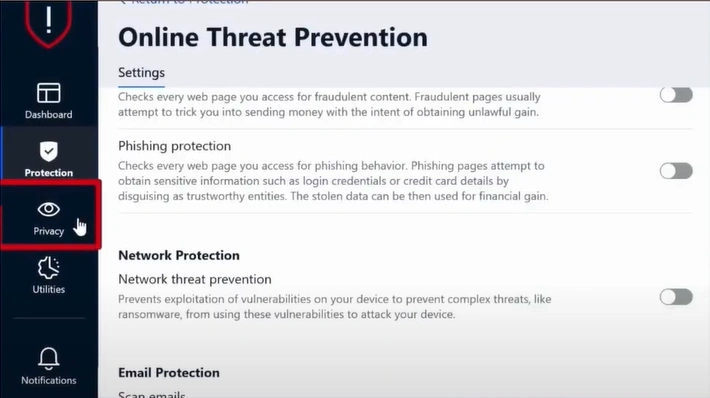
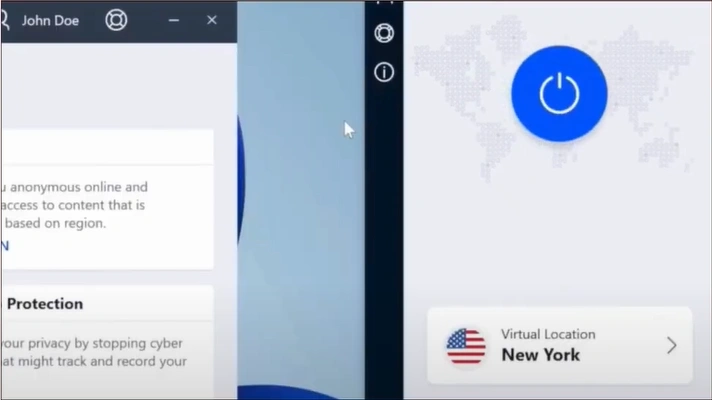
Step 3: Go to VPN and click on Open VPN.

Step 4: Click the Pause button to disable the Bitdefender VPN.
Also Read:- How to Disable Bitdefender Pop Ups?
To Sum Up
If you are unable to access certain programs or websites, Bitdefender VPN could be the cause. Follow the steps above to turn it off temporarily and carry on with your work. Disabling the VPN can help resolve minor issues and improve your browsing experience.
Don’t forget to turn the VPN on once you've completed your tasks. Also, avoid sensitive tasks, such as online banking, when the VPN is disabled. This way, you can both stay connected and secure with your browser.

