
How to Stop McAfee From Quarantining a File?
Last week, I was coding on my computer as usual when suddenly, a McAfee notification popped up on my screen saying, "Potential threat detected: File quarantined.”
At first glance, I didn't think much of the notification. It seemed quite normal, I said to myself. After a while, I realized that McAfee was unnecessarily quarantining some of my trusted files. I didn’t want that to happen, so I followed some troubleshooting steps to stop McAfee from quarantining a file. As a tech expert, I found the troubleshooting to be smooth.

Stopping McAfee from quarantining a file is a simple process. Let me show you what worked for me and how it can work for you as well. Let’s start to learn about the potential issues you may face, and follow the steps I’ve mentioned.
Potential Issues When Stopping McAfee From Quarantining a File
While stopping McAfee from quarantining a file, you may face the following challenges:
-
False sense of security
-
Increased risk of malware infection
-
McAfee may flag the file again
-
Limited exclusion options
-
Software conflicts
-
Behavioral scanner interference
Steps to Stop McAfee From Quarantining a File
McAfee software protects your computer from suspicious files, phishing websites, and other online threats. But there are times when it wrongly quarantines safe files. If that's happening with you, you must stop McAfee from quarantining a file. Here is how to do it:
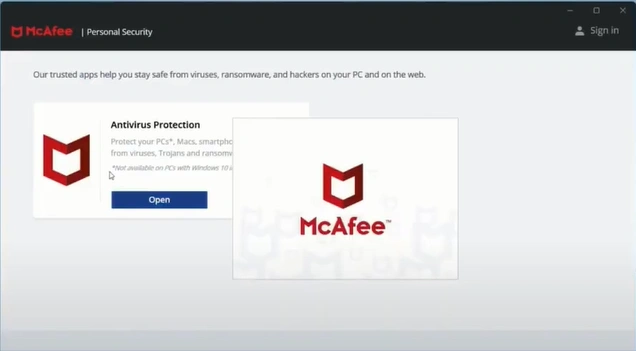
Step 1: Launch your McAfee app, then open Antivirus Protection.
Step 2: Click the three-line icon in the top-left corner and select the My Protection option.

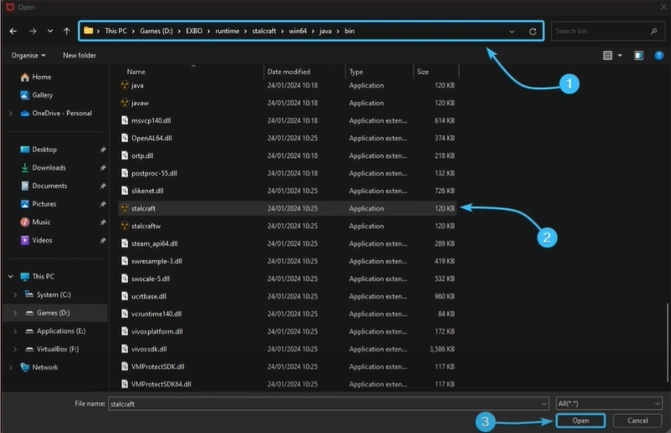
Step 3: Click on Real-Time Scanning, then click on Add file.

Step 4: Find and select the file you want to exclude from scanning.
Also Read:- How to Turn Off McAfee Antivirus?
Summing Up
Seeing your trusted files mistakenly flagged as threats by McAfee can be frustrating. If you don’t want that to happen, just adhere to the steps I’ve discussed with you. You'll be able to stop McAfee from smoothly quarantining specific files. Take full control of the antivirus software in your hands.

