
How to Add Firewall Rules to Norton 360?
One night, I needed to create a custom firewall rule in Norton 360. I had installed a new development tool for an important project. Everything was fine until I noticed that my app couldn’t connect to the server, and emails wouldn’t sync. After spending long hours troubleshooting, I realized that Norton’s firewall was blocking the connection.
This was frustrating but common when dealing with firewall settings. Although Norton 360 is a strong security suite, its firewall settings can be difficult to locate and configure. The interface was complex, and the terminology added to the challenge.

After some trial and error, I figured out how to add firewall rules in Norton 360. So, if you are also struggling with the same, we are both on the same page. Let’s walk through the step-by-step process so that your apps can run without weakening your firewall.
Potential Issues When Adding Firewall Rules in Norton 360
If not done properly, adding firewall rules in Norton 360 can cause problems. The incorrectly configured rules can block network traffic, leading to connectivity issues or preventing applications from accessing the Internet.
Let’s look at a detailed breakdown of potential issues when adding firewall rules in Norton 360.
-
Connectivity problems
-
Difficulty in the rule configuration
-
Firewall conflicts
-
Performance issues
Steps to Add Firewall Rules in Norton 360
Follow the steps to add firewall rules in Norton 360 easily and securely. This way, you can enhance your computer’s security by providing robust protection against malicious software and unauthorized access.
Step 1: Open the Norton 360 software on your computer.
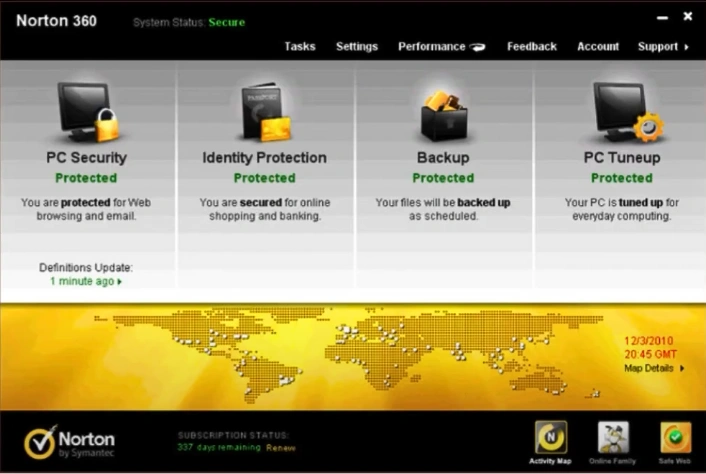
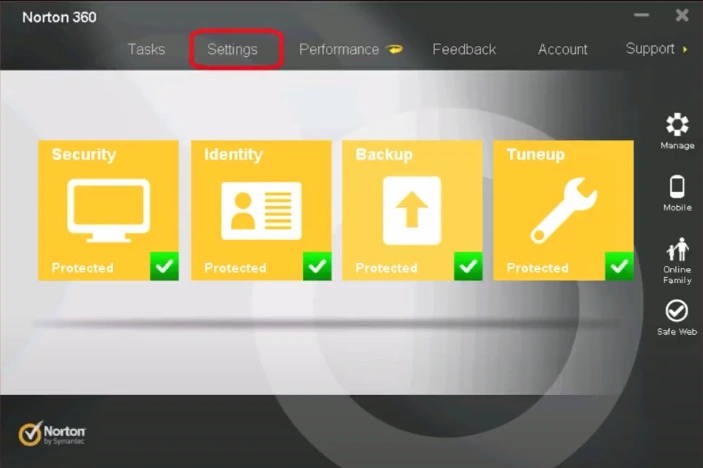
Step 2: Click on the Settings tab.

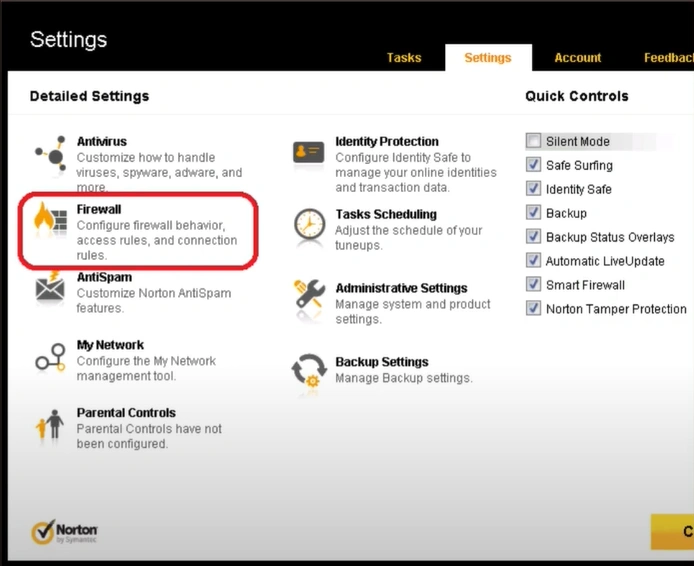
Step 3: Click on the Firewall option.
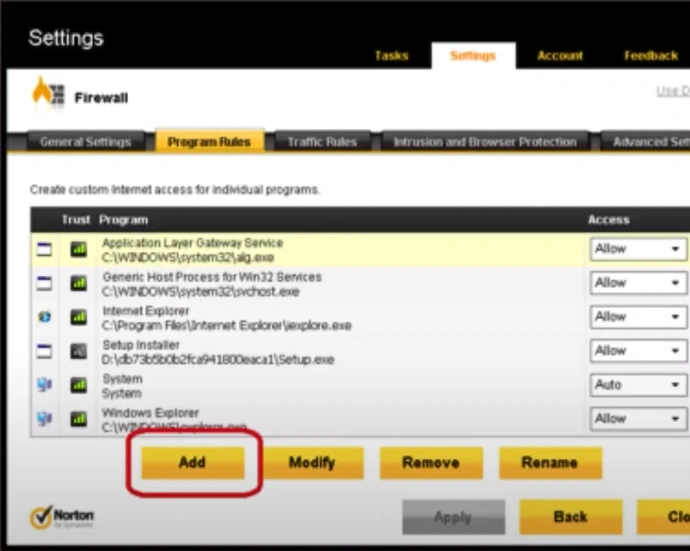
Step 4: Click on the “Program Rules” tab.
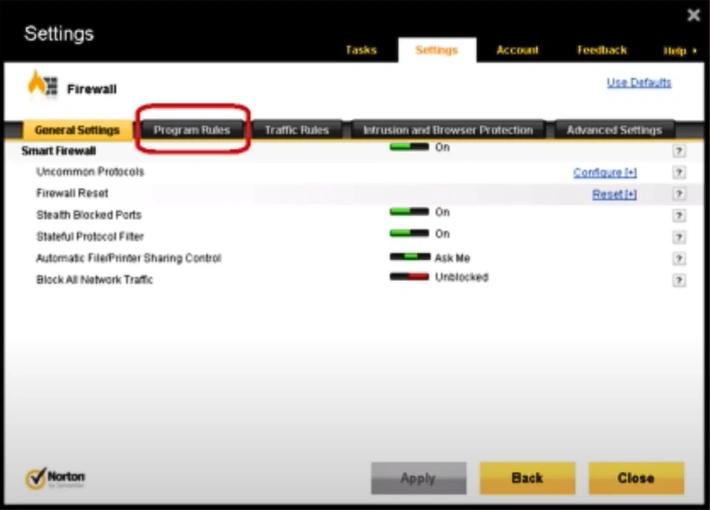
Step 5: Click on the Add button in the Program Rules tab.
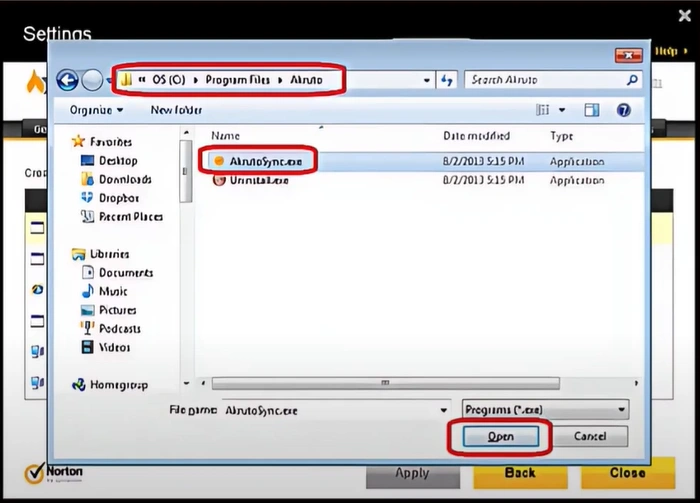
Step 6: Select the program you want to add, then click Open.
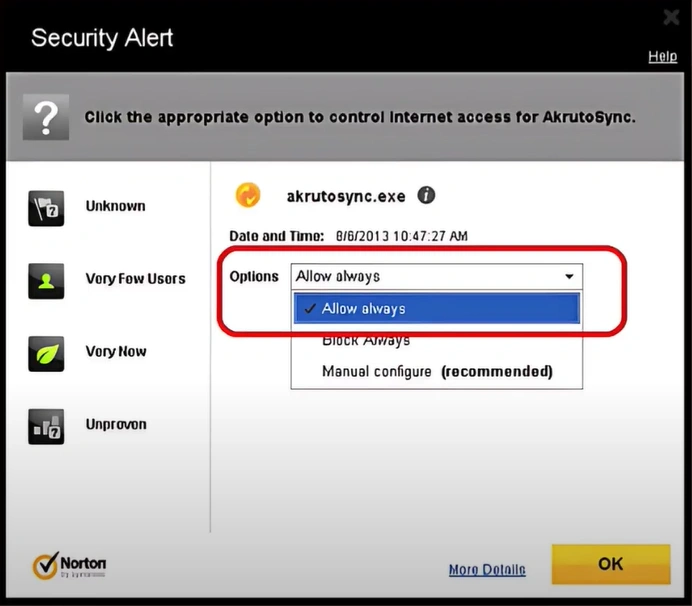
Step 7: Choose your Options from the dropdown and click on the OK button.
Also Read:- How to Remove Norton Safe Search?
In a Nutshell
Adding firewall rules in Norton 360 can be confusing, especially when your apps suddenly stop working during critical tasks. However, once you know how to add firewall rules to Norton 360, it becomes a manageable task. Follow the steps above.

