
How to Stop AVG From Blocking a Program?
A few days ago, I was working late at night, developing the first version of my desktop app—a tool to simplify project management for my team. After completing the app, I eagerly double-clicked it, but to my surprise, a pop-up appeared: "Threat blocked by AVG." My heart sank. I knew the program was safe, but AVG mistakenly flagged it as a threat and blocked it.
It’s common for AVG to incorrectly block safe applications. Fortunately, I found a way to fix the issue and get my program running. In this step-by-step guide, I’ve explained the methods that worked for me. Read on to learn more. But before we get into the steps, let’s look at the potential issues you may face while trying to stop AVG from blocking a program.

Common Issues When Preventing AVG From Blocking a Program
When attempting to stop AVG from blocking a program, you may face several potential problems, like the following:
-
Interference with program installation
-
Difficulty uninstalling AVG
-
Insufficient permissions
-
AVG’s passive mode
2 Methods to Stop AVG From Blocking a Program
Do you want to prevent AVG from blocking any important programs on your computer? Then, you must take action by applying these solutions:
Method 1: Add Application Rules
Step 1: Launch your AVG application.
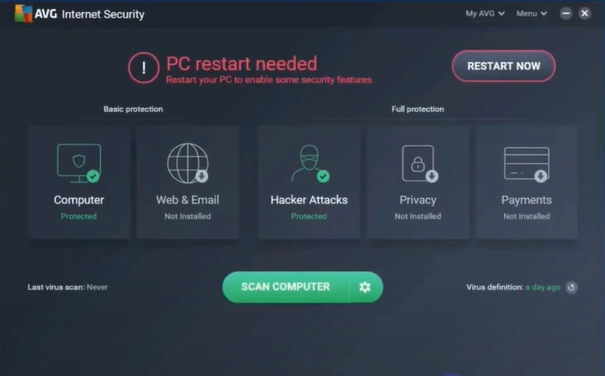
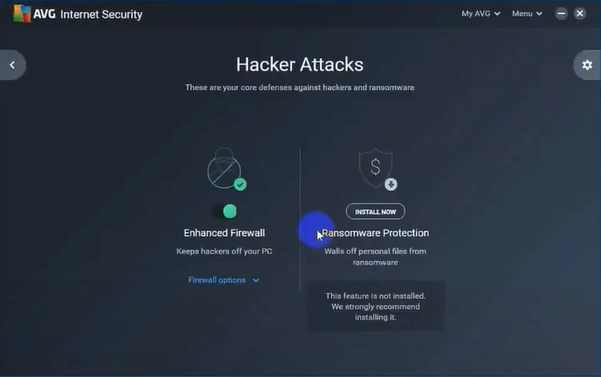
Step 2: Double-click on Hacker Attacks, then click on Firewall Options.
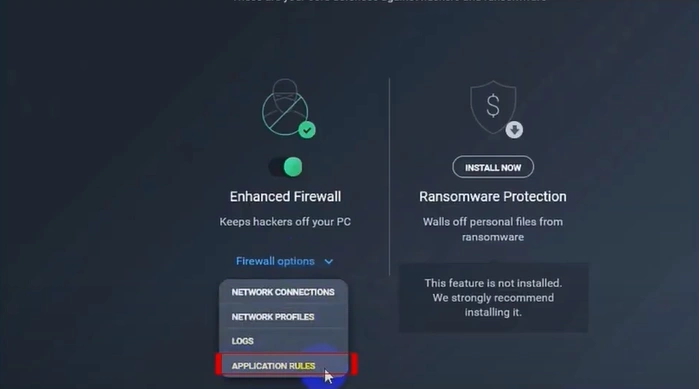
Step 3: Select the Application Rules option.
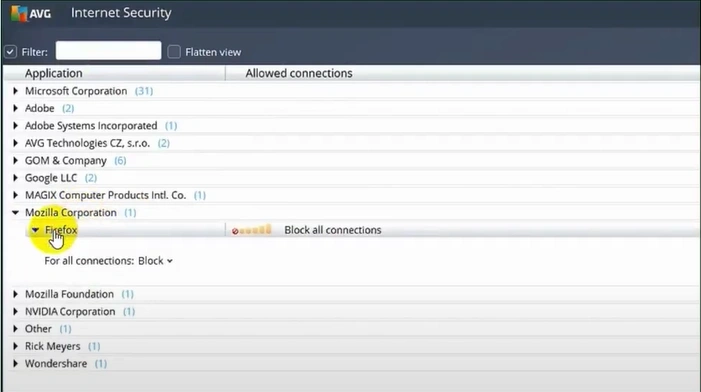
Step 4: Select the Application, open the For all connections dropdown, and choose an option.
Method 2: Add to Allow Application
Step 1: Launch your AVG application.

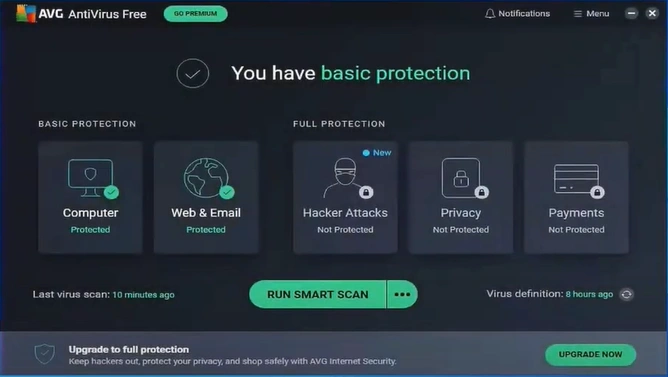
Step 2: Click on Menu in the top-right corner.
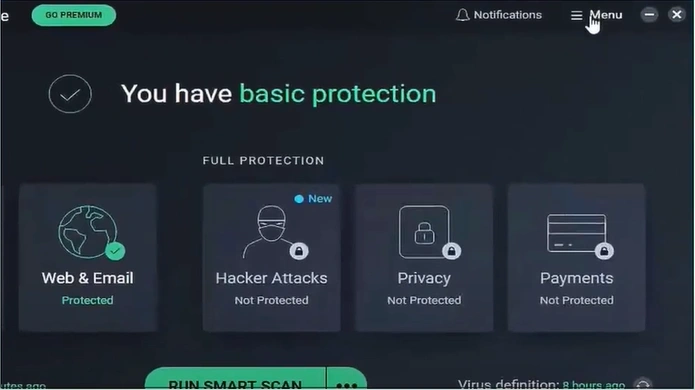
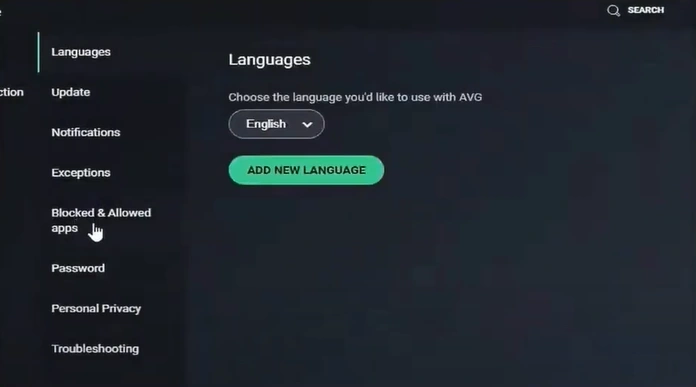
Step 3: Go to Settings, then open Blocked and Allowed apps.
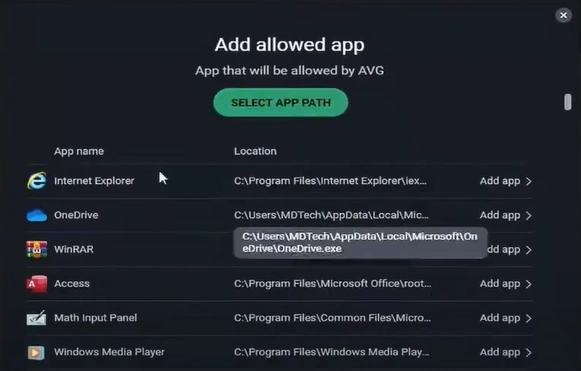
Step 4: Click the "Allow App" button.
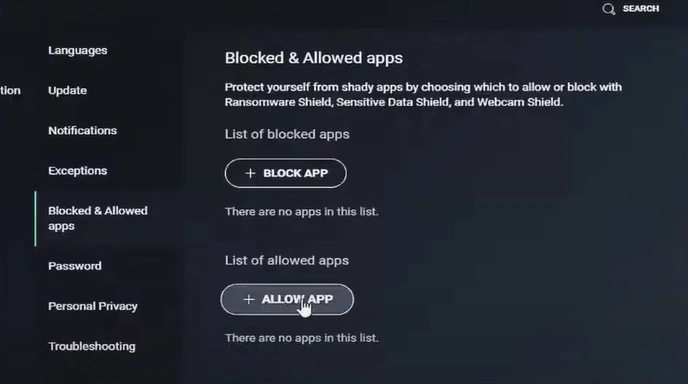
Step 5: Locate the application and click "Add app."
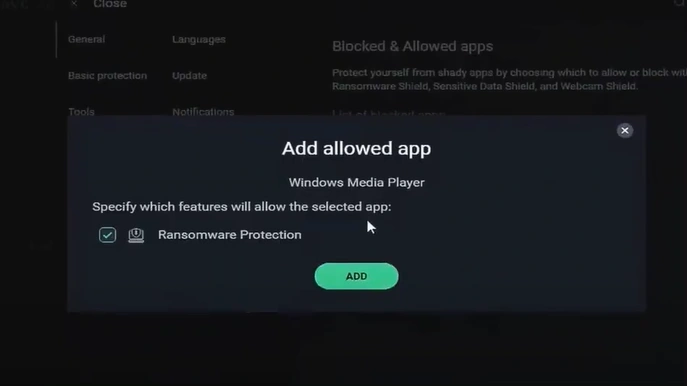
Step 6: In the pop-up window, click "Add" again to confirm.
Also Read:- How to Install AVG Antivirus?
Wrapping Up
It can be frustrating when AVG blocks a program you know is safe. Try updating the Application Rules or adding the program to AVG’s allowed list to prevent it from being blocked again.
Important: Before allowing any program through your antivirus, make sure it’s safe to protect your system from real threats. The security of your system should not be compromised.

