How to Troubleshoot Can’t Install Avira Antivirus Issue?
Are you unable to install the Avira antivirus software on your device? If yes, then don’t worry because you have come to the right place. Avira belongs to the most popular security services that provide turtle-shell protections for computer and mobile devices. Also, the software offers multiple device compatibility. The process to download and install the software on a device is quite straightforward. However, in some cases, many users can't install Avira antivirus issue on their devices. This type of issue can be due to various reasons in your device or the product. In this post, you will learn several useful methods that will help you get rid of this issue.
Method 1: Check for Update on Your Computer
Installing the Avira antivirus on the older version of the operating system can cause some issues. Here are the steps that allow you to update the OS version of your device.

For Windows
- Firstly, click on the Start menu option and select Settings.
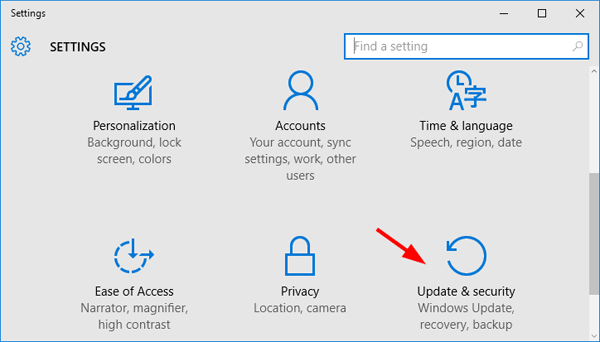
- In the Settings screen, press the option Update & Security.
- After that, you will see the Check for updates option; click on the option.
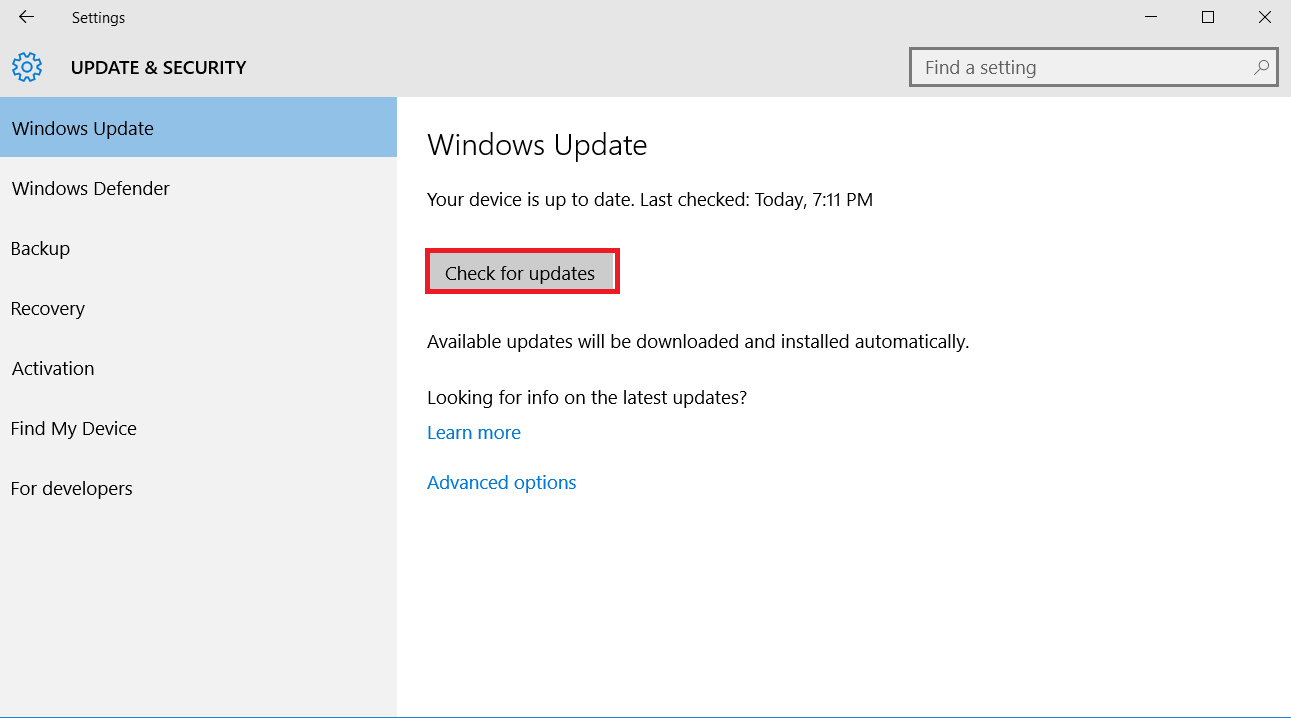
- Now, you will see the software update if there is any.
- Download the latest update on your operating system.
- In the last step, try to install the Avira antivirus on your device to see if it still shows any issues.
For Mac
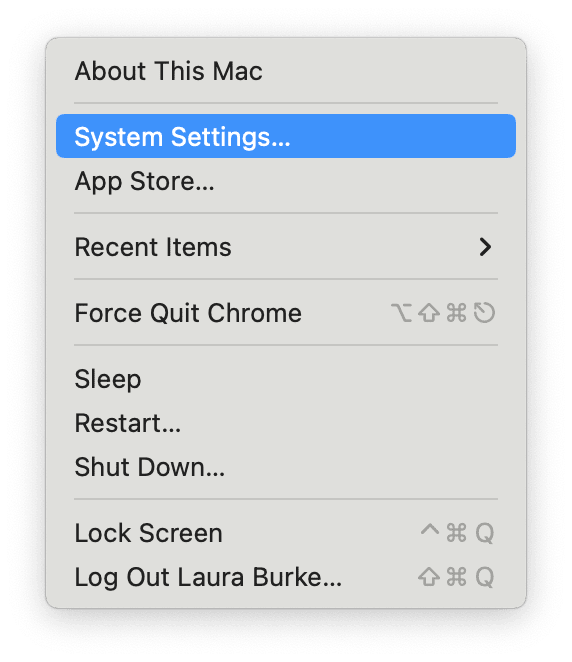
- On the Mac device desktop, click on the Apple menu.
- Then, you have to click on System Settings.
- A new window of various options will show up on the screen; click on General.
- Furthermore, select the option of Software Update.
- The next window will show the update if there are any; choose the Upgrade Now option and start the download.
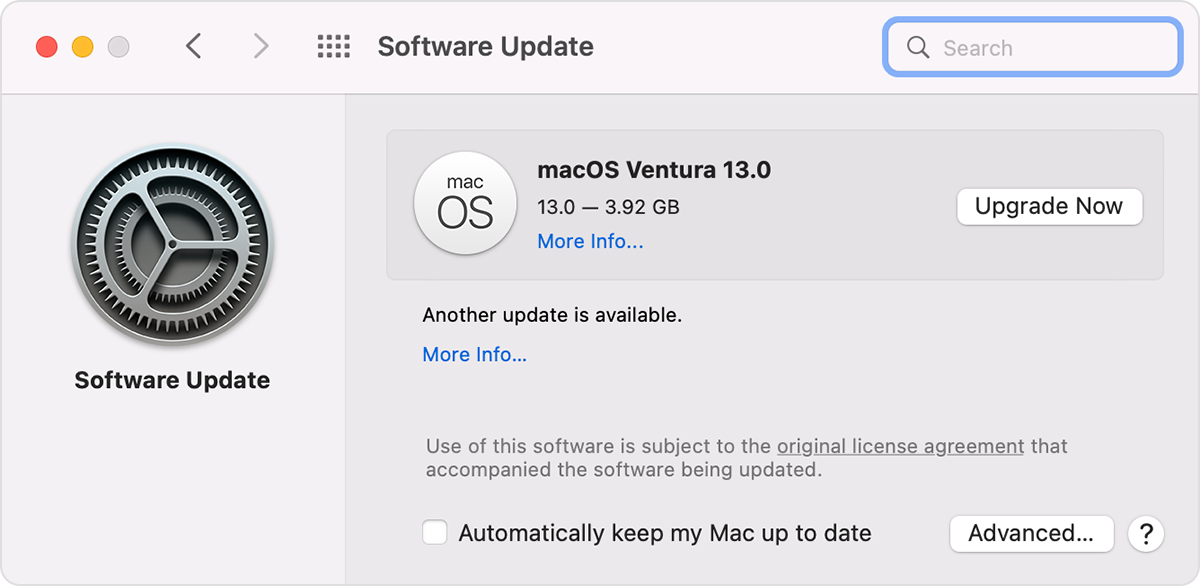
- Once the software update is complete, restart your Mac device.
- After that, see if the can't install Avira antivirus issue still persists in your device.
Solution 2: Start Your Computer/Laptop in Safe Mode
If your device can’t install the Avira antivirus on your device, then you can start your device in safe mode. Hence, the following steps will help you do that.

- Start with pressing the Start menu button, and I key together on the keyboard. It will open the Settings window on the device.
- After that, click on the Systems option.
- Then, you have to choose Recovery.
- Moreover, select the option Restart Now.
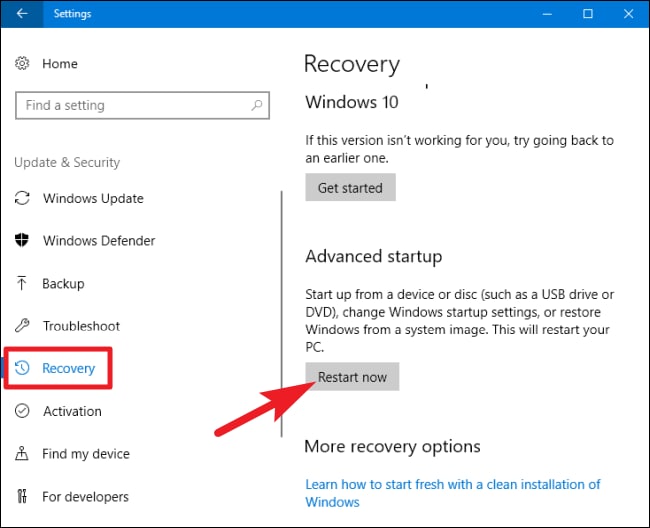
- Once your device opens in safe mode, try installing the Avira software on your device.
- If you can't install Avira antivirus issue, then follow the other methods.
Solution 3: Cleanup the System (Manually)
Some of the junk files in your device can block your Avira antivirus program from installing on your device. The following guide will let you clean up the system manually to fix the issue.
- Firstly, boot your system in safe mode.
- Next, go to the Control Panel and choose the Folder option.
- After that, click on View and select Show Hidden Files and Folders.

- In the following step, click on OK.
- From the open folder, you need to remove all the Avira files (e.g., C:\ProgramData\Avira)
- Furthermore, restore the view settings on default.
- And then restart your computer system.
- Lastly, install the Avira software and check if you are facing any issues.
Conclusion
If you are having the can't install Avira antivirus issue, there are various methods you can try. Also, it is now clear which method is going to work, so it is best to try all the methods until the problem is fixed. Plus, understanding the root cause behind this issue can help you get rid of the issue sooner. Apart from that, you can ask for the experts' help if you are unable to fix the issue on your own.
Frequently Asked Questions
These are the steps you need to follow to download and install the Avira antivirus software.
2. After that, go to the Products section and choose the product you want to download.
3. If it is a paid version, then fill in the payment details to complete the process.
4. You will receive a code to activate the code.
5. When the download is complete, open the product and activate it.
6. Finally, the Avira product will be ready to use.
Some of the best solutions you can try to solve the Avira installation issue are as follows:
● Manually clean up the system.
● Update the driver of your computer system.
● Start your computer in safe mode.
● Remove the Avira downloaded software and then download it from the official website.
● Take professional help and others
The primary reasons you are unable to install the Avira software on your device are as follows:
● The Avira antivirus is not compatible with your computer device.
● You are using the older version of the operating system.
● There are some glitches in your computer software.
● You have downloaded the corrupt Avira software and others.

