How to Resolve Avast Antivirus Update Error
Is your device protected from security threats? I know you must have an antivirus program installed on your device. Avast antivirus software is one of the best antivirus solutions that helps people protect their devices. But, sometimes, this program may get affected by an update error. If your antivirus software has an update error, it may become a difficult situation for you to get out of it. This is why I am sharing quick and easy methods to resolve the Avast antivirus update error.
Well, the Avast program is set to automatically update whenever a new virus definition becomes available. However, sometimes, you may encounter the “Avast antivirus not updating” error message. So, if you are one of the users who got this error, keep reading this blog till the end to learn how to fix this error easily. Before that, let’s find out why this error occurs.

What Prevents Your Avast Software From Updating?
Before you jump into the troubleshooting methods, it is important to understand why your antivirus software shows such an error. By knowing it, you can resolve the error easily and will prevent your system from it in the future as well.
- Your Avast software may be incompatible with your Windows operating system.
- It may be possible that your Avast program is installed incorrectly on your system.
If so, you can resolve this error quite easily by just following the methods I am mentioning in this blog. Let’s walk through it.
Top 3 Methods to Fix Avast Antivirus Update Error
If you deal with the Avast software update error, you can follow these methods to resolve the error. Look at the methods to learn how to resolve the update error in Avast.
Method 1: Update the Virus Definition (Manually)
Follow these steps to update the virus definition manually:
- In the first step, click on the Avast icon from the lower right corner of the taskbar.
- Then, tap on the Update option under the Engine and Virus definitions.
- Now, tap on the Check for updates when your Avast doesn’t start updating.
- Allow the Avast antivirus to detect the virus definition updates and then install them.

- After that, your status will show the “Virus definitions are up to date.”
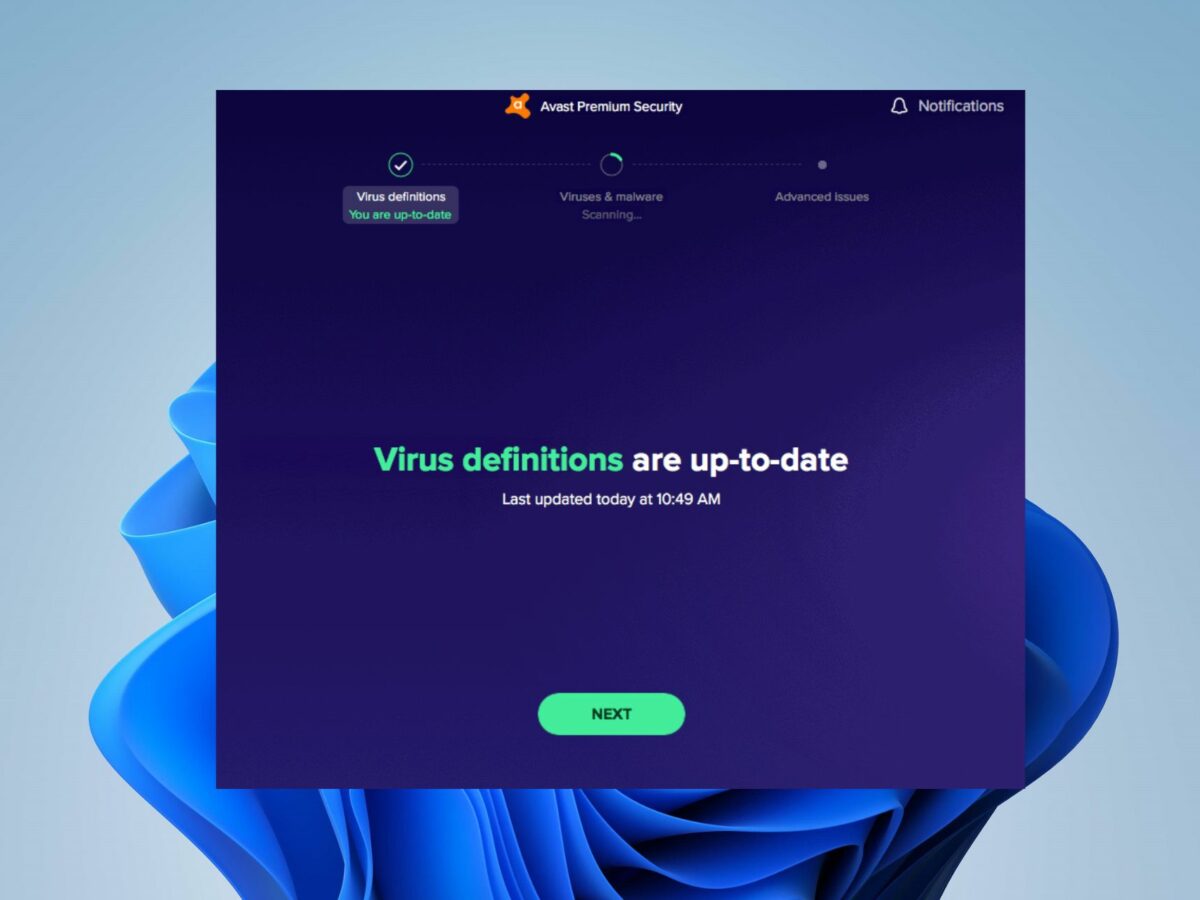
- Next, you should restart your PC to complete the update.
- When your screen prompts something, tap on the Restart Now button to reboot your PC.
This is how you can fix the update error in your Avast software. Then, move to the next step.
Method 2: Update the Application From the Taskbar (Manually)
These are the steps to manually update your Avast application from the taskbar:
- First of all, you need to right-click on the Avast icon on the Notification section of the taskbar and tap on the Update Program.
- Then, if your Avast antivirus is not updating on its own, you need to tap on the Check for updates option.
- Allow your Avast program to complete the checking and let the virus definition install the updates.
- When the update is complete, your status will show “Virus definitions are up to date.”
- At last, when a prompt appears, tap on the Restart Now option to restart your system quickly.
That’s it for updating the application from the taskbar. For more solutions, look at the other troubleshooting methods in the next sections.
Method 3: Update the Avast Program From Settings
This method is considered one of the best methods to fix the Avast antivirus update error. Look at the steps for this.
- First of all, launch the Avast software on your system and head to the Menu from the top right corner.

- Then, open the Settings section from the Menu bar.

- Now, move to the General tab under the Settings menu from the left side and tap on the Update option.
- Press the Check For Updates button in the Update panel and allow the update installation to start.

- When you have installed your Avast program, you need to reboot your system to implement the changes.
- After that, open the Avast app one more time to confirm whether the error is removed or not.
These are the final procedures to update your Avast software using the Settings option.
Conclusion
I have mentioned some of the best methods to resolve your Avast antivirus update error. The update error can arise due to many reasons such as incompatibility of your operating system and Avast software and an incorrect installation of the software. In order to fix the error, you will need to try updating your antivirus using different methods. If these three methods work for you, it will be great to overcome the error and move forward with the different methods.
Frequently Asked Questions
Follow the steps to update the Avast software manually:
- Initially, you need to right-click on the Avast icon within the notification
section of the taskbar.
- Then, choose the Update option and then choose the Engine and Virus option.
- After that, if your software is not checking for the
updates automatically, tap on the Check
for updates option.
- Now, wait until your Avast is checking and
installing the virus definition.
- Once your update is finished, a status will appear as - Virus definitions are up to date.
- At last, you can restart your computer from the PC to finish the update. You can also hit the Restart Now button to reboot the PC.
If you get an update
error in your Avast software, you can fix it easily by following some
easy-peasy methods. For instance, you can update your software from settings,
Avast application, and even reinstall your software from reputable software. If
nothing happens by these steps, you can also contact the customer service
executive and tell them your query.
If your Avast
software is unable to update, it might be due to the incompatibility between
your antivirus program and operating system and an incorrect installation of
your software. If that is so, you can change your operating system or update it
to the latest version. Also, make sure that you install the software correctly
and according to the guidelines.

