Antivirus Tales
  • Home
  • Contact Us
  • Knowledge base
  • Support
  • All Antivirus
  • Home
  • Contact Us
  • Knowledge base
  • Support
  • All Antivirus

Step 1

20%

Q1: Kindly choose your brand name.

Step 2

40%

Q2: Kindly choose your device.

Step 3

60%

Q3: Kindly fill your contact details.

Step 4

80%

Q4: Kindly fill your contact details.

Facing trouble with your Antivirus ? - Fix Now
Uninstall Sophos on My Computer
  • Jan 21, 2025
  •  | 
  • By Mathew Jones
  •  | 
  •  | 
  • Views: 1275

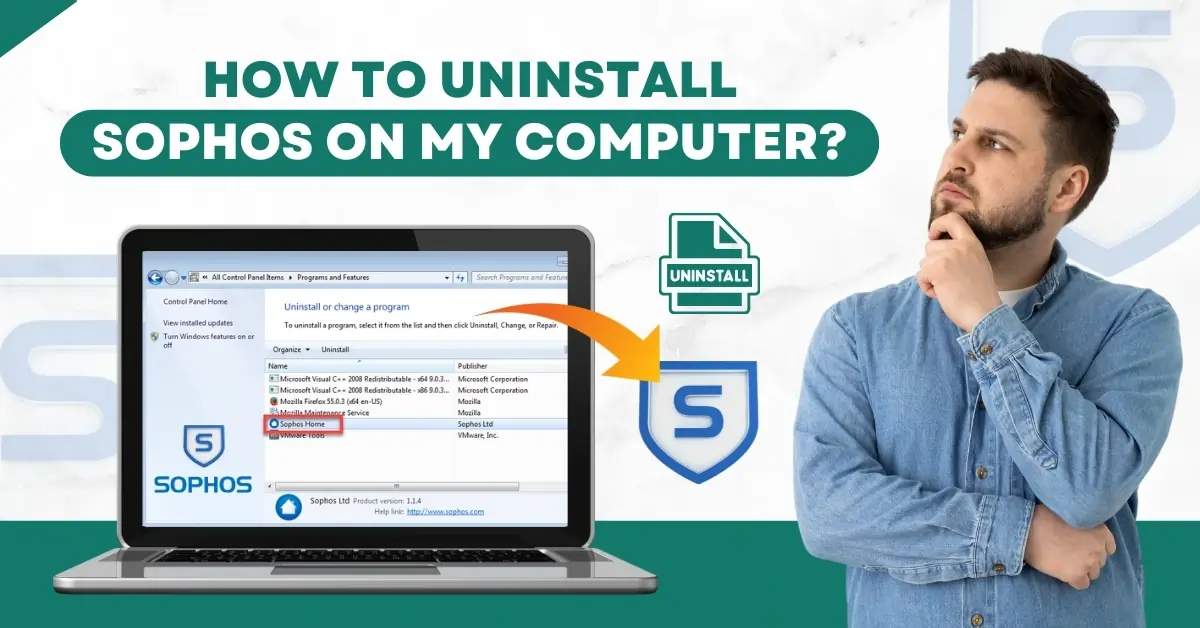
How to Uninstall Sophos on My Computer?

The Sophos antivirus in your computer may be causing conflicts with other hardware or software. Uninstalling Sophos can help resolve these problems and improve performance.

Sometimes, users may feel that Sophos does not provide the right level of privacy or security. So, they may prefer to uninstall the antivirus program. If you are a user who wants to delete or remove Sophos from your computer, then you are in the right place. Live chat with experts

Here we explain the essential steps to uninstall Sophos on a computer. Let us explore this in detail.

Potential Issues When Uninstalling Sophos Antivirus

Here are some of the issues that may occur when uninstalling Sophos from your computer:

  • Error code 30

  • Unsupported operating system

  • Access denied

  • Sophos components not removed

  • Remnants left on the system

Steps to Uninstall Sophos on Your Computer

The process of removing Sophos is quite straightforward. Here are the steps you need to follow:

Step 1: First, you need to disable Tamper Protection; to do this, select Endpoint Protection from Sophos Central Dashboard.
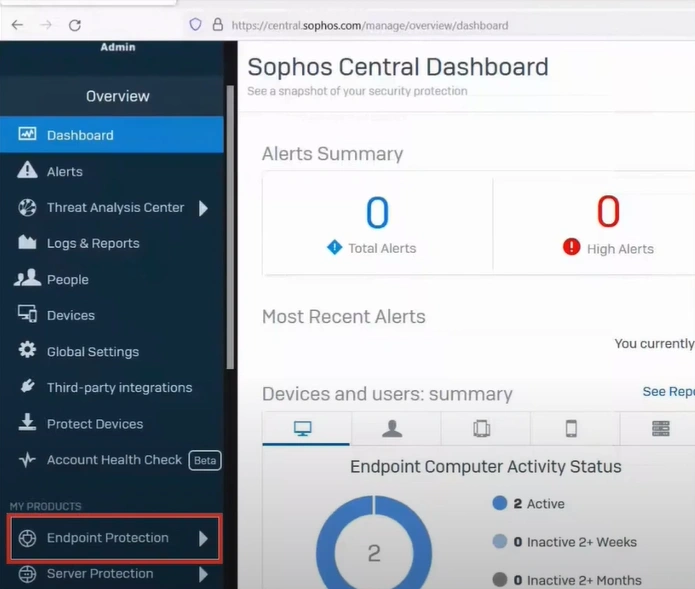
you need to disable Tamper Protection


Step 2: Select Computers, then select your system.
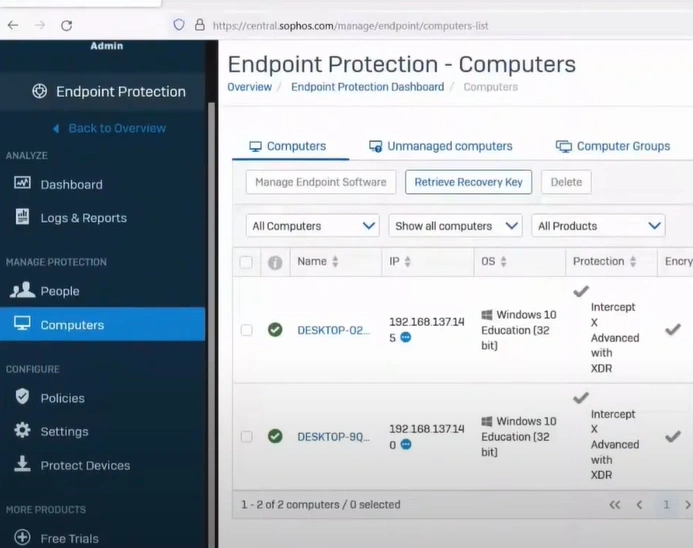
then select your system


Step 3: Scroll down to the Tamper Protection section, then click Disable Tamper Protection.
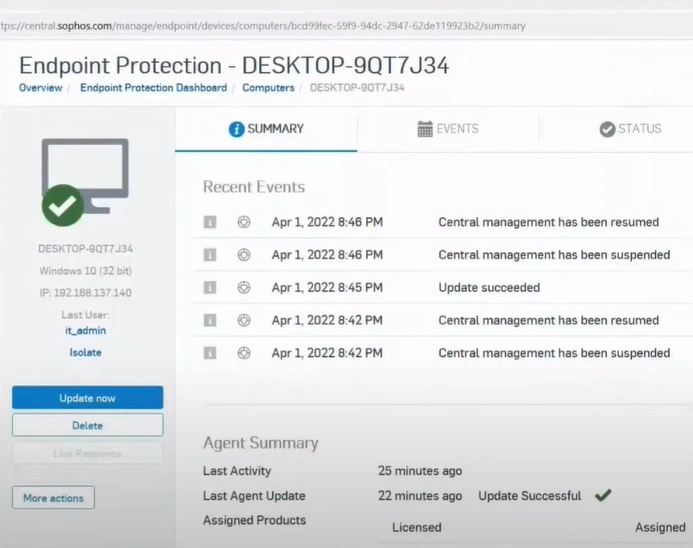
the Tamper Protection section


Step 4: Click the Windows search button, search Control Panel, and open it.
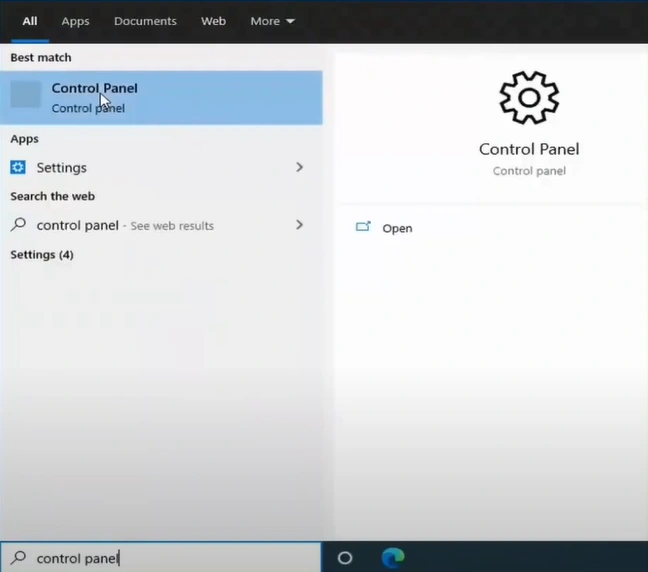
Click the Windows search button

Also Read:- How to Bypass Sophos Firewall?

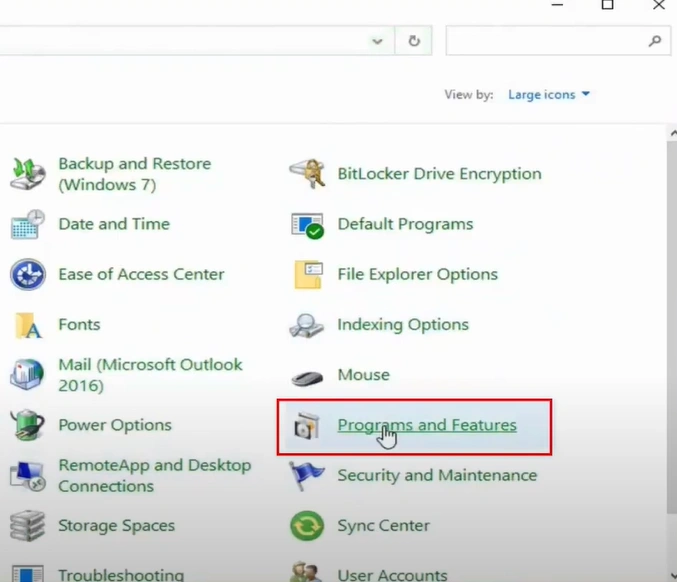
Step 5: Select Programs and Features. Live chat with experts
Select Programs and Features


Step 6: Select Sophos Home and click Uninstall.
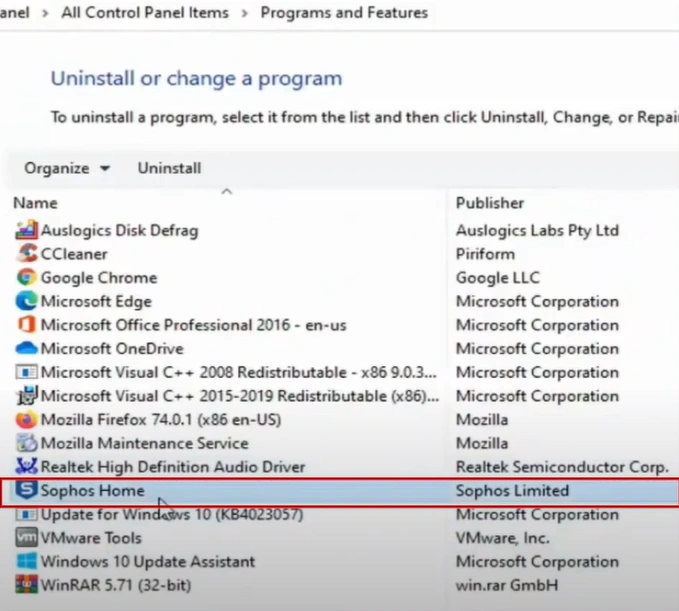
Select Sophos Home and click Uninstall


Step 7: Click Yes in the User Account Control window to proceed.
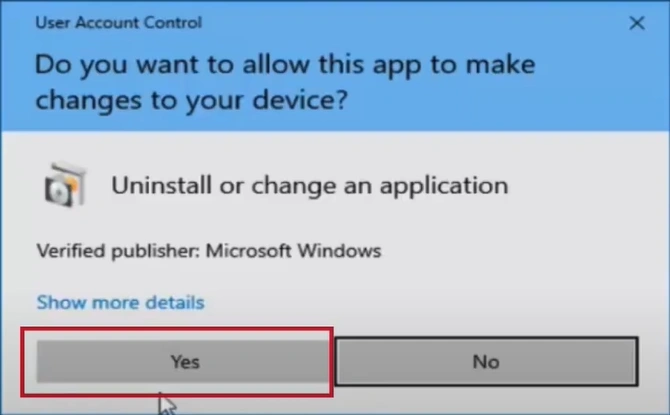
Click Yes in the User Account Control


Step 8: Click Uninstall in the Sophos Home prompt, and it’ll start uninstalling.
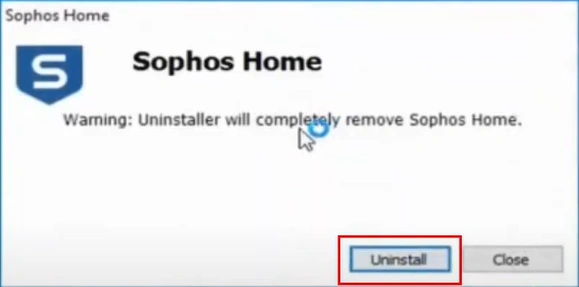
Click Uninstall in the Sophos Home prompt


Step 9: When you get the Uninstallation Completed Successfully screen, check the Restart box and click Close.
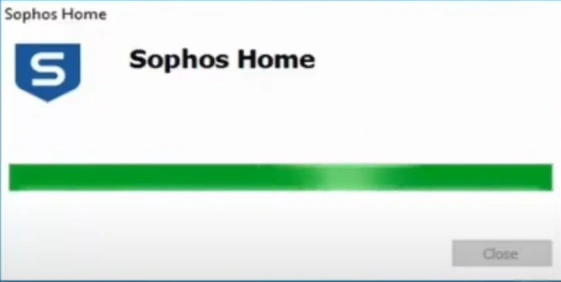
Uninstallation Completed Successfully screen


Step 10: Wait for the system to restart.
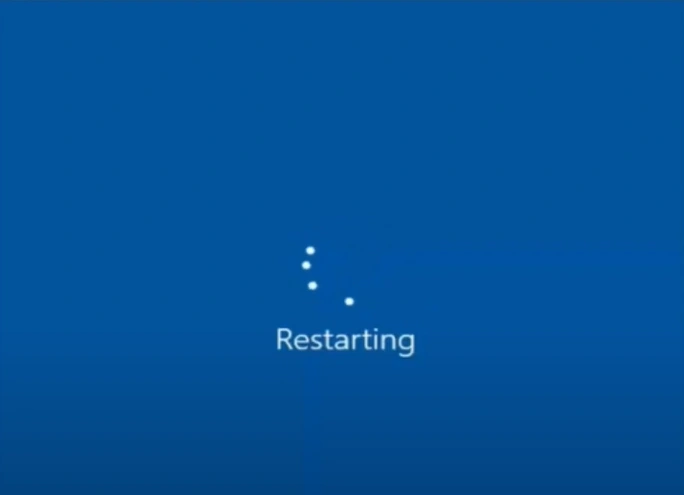
Wait for the system to restart


Summing Up

If Sophos is consuming significant system resources or slowing your system, it may be time to uninstall it. Follow this detailed guide on how to uninstall Sophos and tackle the issues that may come along. Error codes, an unsupported operating system, or remnants left on the system are a few challenges.

You can contact a technician if you need help uninstalling Sophos from your computer.

 
Was this article helpful?
Antivirus Support
Tags: Uninstall Sophos remove Sophos how to uninstall Sophos
  • Share
Prev
How to Disable/Turn off Trend Micro?
Next
How to Turn Off Secure Search McAfee?

free consultation

Table of Contents

  • Potential Issues When Uninstalling Sophos Antivirus
  • Steps to Uninstall Sophos on Your Computer
  • Summing Up

Recent Post

About McAfee Corp

Learn All About McAfee Corp. [A Cybersecurity Company]

Feb 23, 2023
Kaspersky

Things You Need to Learn About Kaspersky Before Choosing It!

Feb 23, 2023
About AVG Technologies

All You Need to Know About AVG Technologies

Feb 23, 2023
Important Facts to Know About Norton

Important Facts to Know About Norton

Mar 27, 2023
Know About the Bitdefender Company

Everything You Need to Know About the Bitdefender

Mar 28, 2023
Antivirus Tales

An independent troubleshooting resource for antivirus software errors. Guides here cover installation failures, update issues, scan errors, product key problems, and more - across all major antivirus programs.

Not affiliated with any antivirus company.

Company

  • Home
  • Knowledge Base
  • Support
  • Contact Us

Issues We Resolve

  • Learn All About McAfee Corp. [A Cybersecurity Company]
  • Things You Need to Learn About Kaspersky Before Choosing It!
  • All You Need to Know About AVG Technologies
  • Important Facts to Know About Norton
  • Everything You Need to Know About the Bitdefender
  • Everything You Should Know About the Sophos

Contact Info

  • Email info@antivirustales.com
  • Contact US +1-857-557-6826
    UK +44-161-791-4591
  • Address 698 NE 1st Ave, Miami FL 33132

Copyright © 2026 by Antivirustales.com All rights reserved.

  • Terms Of Use
  • Disclaimer
  • Privacy Policy
image-not-found
1
2
3
4
5

Step 1

Let's start 😀

Which operating system do you use ?

Step 2

Step 2 to 5

Let us know the device you are facing this error/issue on:

Step 3

step 3 to 5

Let us know, since how long have you been facing this error/issue

Step 4

step 4 to 5

Kindly enter your name and email

Step 5

Last step 🏆

Let us schedule a call for you

Step 5

Completed 100% 🏆

Thankyou for contacting us

Our subject matter expert will contact you on the provided number, kindly answer all the calls.

Chat Support
🍪 We are using Cookies! For more information visit this page  Cookie policy.